FXRP: A complete guide to minting, redeeming, and earning on iPhone
If you hold XRP and want it usable on Flare — without a seed phrase and without hopping through a browser dApp — this is the decision page. FXRP is how XRP shows up on Flare. Oxen Flow is how you mint it, redeem it, and put it to work, all in the iOS app.
This site is the front door. Everything below happens on your phone.
Mint vs redeem chart: XRP, FXRP, and “wrapped XRP” stories
People mix three different things. Use this as the starting point when you are staring at a balance and deciding what to tap.
What you have
Where it lives
What it’s for
In Oxen Flow
XRP
XRP Ledger
Native XRP payments and XRPL apps
Hold, send, or mint into FXRP
FXRP
Flare (FAsset)
Use XRP value in Flare DeFi, then redeem back
Mint, hold, earn, redeem
“Wrapped XRP” on some other chain
Wherever that bridge issued it
Not FXRP. Different issuer, different risk
Not this flow — don’t send it here expecting a mint
FXRP is Flare’s FAsset for XRP: a 1:1 representation designed to be minted against XRP and redeemed back to XRP. It is not a generic wrap from another network.
XRP on the XRPL is excellent at being XRP. It is not what Flare smart contracts speak. If you want that value in Flare DeFi — liquidity, earn vaults, whatever the app is showing this month — you mint FXRP. If you want to stay on the XRPL, you don’t. There is no prize for minting “just in case.”
Oxen Flow’s job is to make the mint and the redeem boring: same app, passkey, no extra wallet connection. That is the whole product pitch. If a flow asks you to export a key or sideload a desktop binary, stop.
The pieces, in plain language
FXRP
FXRP is how XRP is represented on Flare so smart contracts and DeFi apps there can use it. Flare calls this an FAsset. You still care about the same economic unit — one FXRP is meant to track one XRP — but the token you hold on Flare is FXRP, not the XRPL native asset.
That distinction matters when someone on the internet says “just wrap your XRP.” Ask which wrap, on which chain, with which redeem path. In Oxen Flow the path is FAssets: mint FXRP, use it on Flare, redeem back to XRP.
Best for Flare DeFi1:1 FAssetRedeemable
Mint
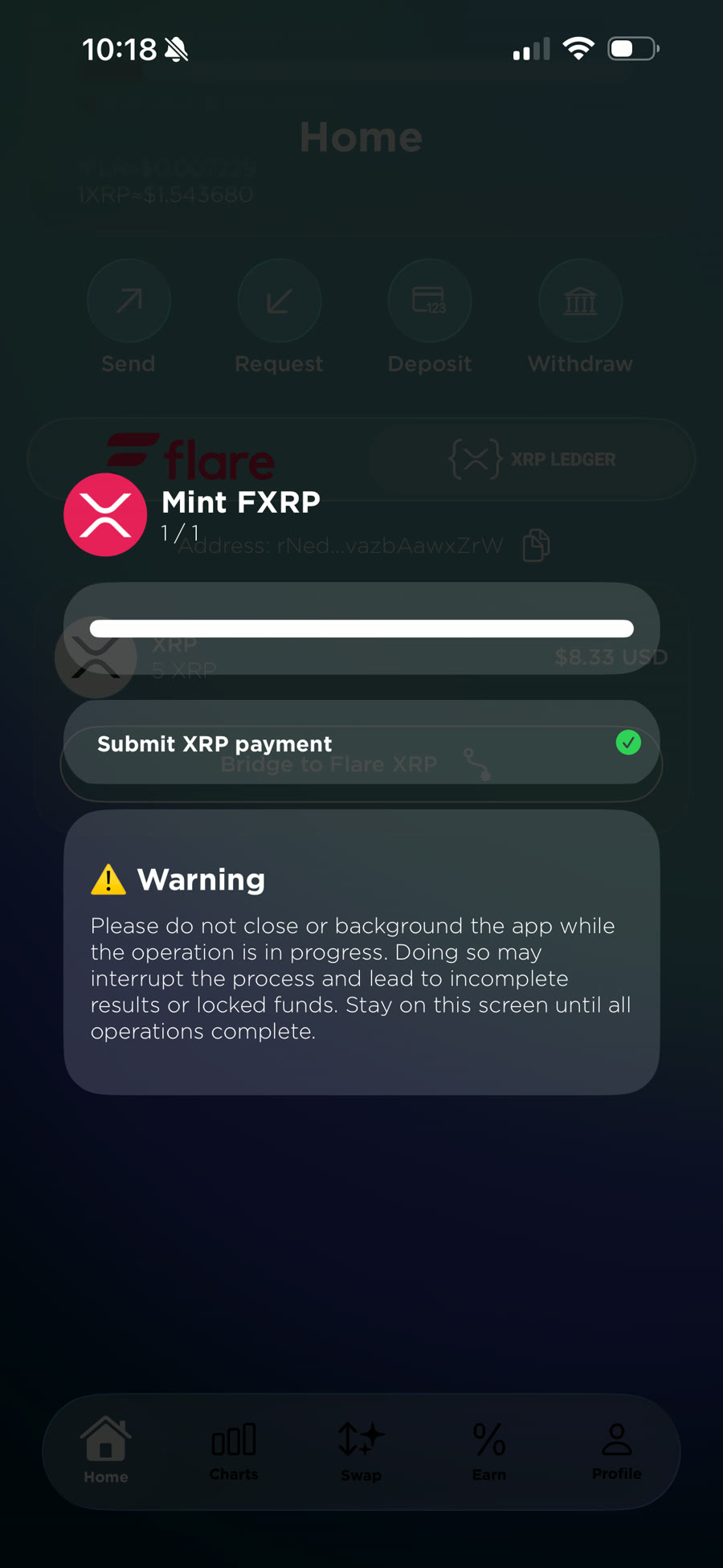
Minting is the move from XRP on the XRPL to FXRP on Flare. In Oxen Flow you do not paste a contract address into a random website. Deposit or send XRP to your in-app address, tap Bridge to Flare XRP on the home screen, and wait for confirmations. FXRP appears in the app.
Confirmations take a moment. That wait is the chain, not a spinner we added for show. If nothing appears, don’t send a second mint until the first has settled — then write info@oxenflow.io.
Best for entering FlareIn-app only
Ready to mint?
Download Oxen Flow and do this on iPhone. This website cannot mint for you.
Redeem
Redeeming is the reverse: FXRP on Flare back to XRP on the XRPL. In the app, select FXRP, choose redeem, and confirm. XRP credits to your XRPL address.
The minimum redeem is 5 XRP.
Best for returning to XRPLMin 5 XRP
Passkeys
Oxen Flow is non-custodial. You control key material. We cannot move funds for you. Under the hood that is passkeys plus Web3Auth and TSS — Face ID, Touch ID, or a security key at sign-in, not a 12-word phrase on a napkin.
FYEO reviewed the application. Read the public report before you treat any wallet as a black box. Your email, if collected, is for passkey support — not a custody backdoor.
Best for skipping seed phrasesFYEO audited
Earn (Firelight, Kinetic, and in-app yield)
Once you hold FXRP, Flare DeFi is the reason you minted. Oxen Flow surfaces earn paths in-app — including Firelight and Kinetic — so you are not connecting a browser wallet to a new site every week.
Yield changes. This page will not quote an APY. Open the earn screen in the app for live opportunities, and treat every yield product as a risk you have to understand, not a savings account.
Official product only. Oxen Flow is iOS-only. There is no official desktop wallet and no web wallet. If a search result offers an “Oxen Flow Desktop” download, it is not us. Stick to oxenflow.io and the App Store listing.
Trust
Non-custodial. Passkeys + Web3Auth/TSS. Audited by FYEO. Built on Flare — the chain, not a slogan we swapped in for Aureus Ox.
Oxen Flow is built and curated by Aureus Ox, the same team that runs production Flare and XRPL infrastructure.
FAQ
What is FXRP?
FXRP is Flare’s FAsset for XRP: a 1:1 representation of XRP on Flare so you can use that value in Flare DeFi, then redeem back to XRP on the XRP Ledger.
Is minting FXRP the same as wrapping XRP on some other chain?
No. FXRP is Flare’s FAsset. It is not a random wrapped-XRP token from another bridge. Mint and redeem in Oxen Flow stay inside the iOS app.
Can I redeem FXRP back to XRP?
Yes. Select FXRP → redeem → confirm. XRP credits to your XRPL address. Minimum 5 XRP.
Is there a desktop Oxen Flow?
No. iOS only. oxenflow.io and the App Store app are the official product. Do not install a third-party “desktop Oxen Flow.”