
HowTo · iOS
Mint FXRP on iPhone: download, passkey, bridge, done
If you already hold XRP and you want it on Flare without a seed phrase or a browser wallet, this is the path. Everything happens in the Oxen Flow iPhone app. This website cannot mint for you.
This is not a web dApp in Safari. No extra wallet connect.
Before you start
- iPhone, current iOS
- Oxen Flow from the App Store only
- XRP to deposit (plus a little extra for XRPL fees)
- Face ID or Touch ID
This site cannot mint. The product is the iOS app.
The five steps
- Download Oxen Flow on the App Store (iOS only).
- Register with a passkey — Face ID or Touch ID. No 12-word phrase.
- Deposit XRP to your in-app address.
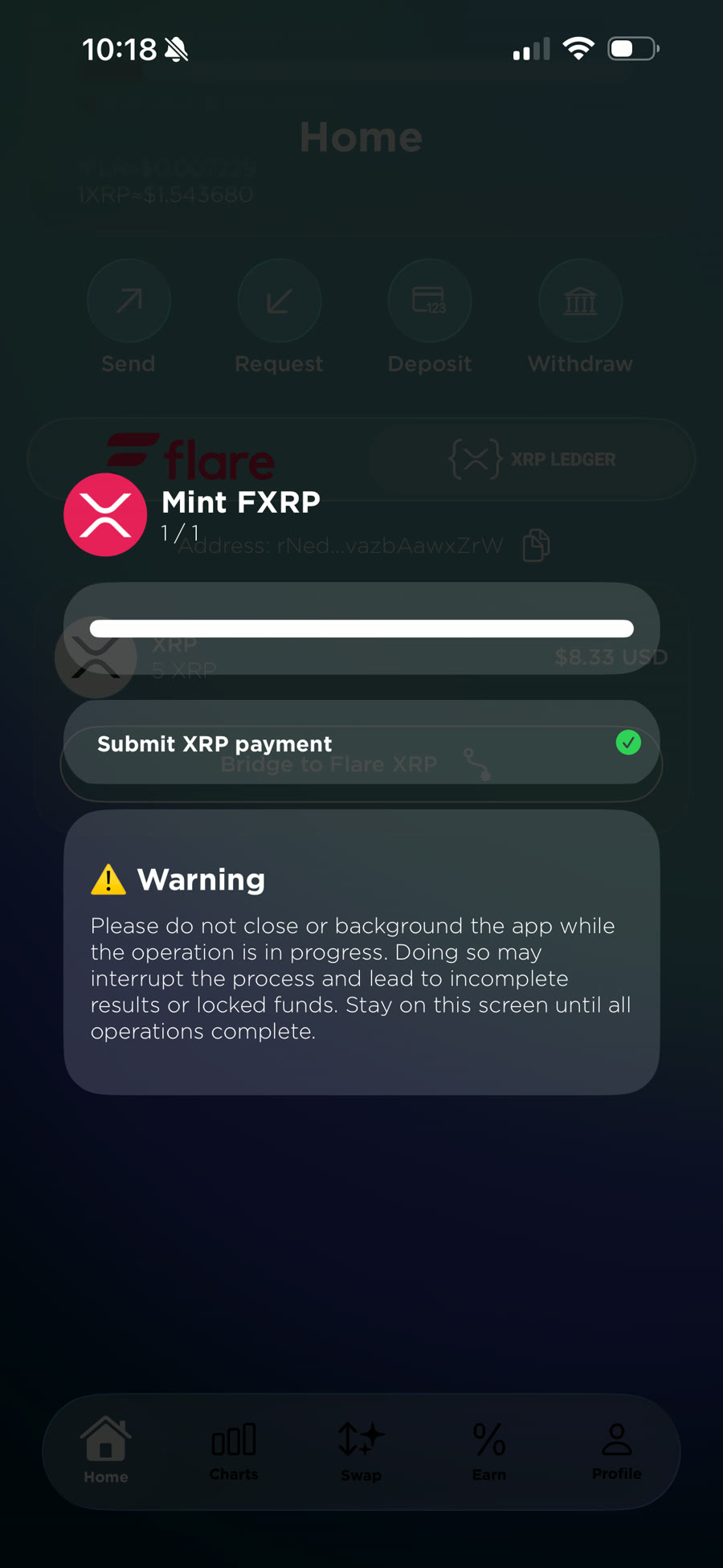
- On Home, tap Bridge to Flare XRP. Wait for confirmations. Do not send a second mint until the first settles.
- FXRP appears in the app. Optional: open earn (Firelight, Kinetic, whatever the app shows). This page does not quote an APY.
Confirmations are the chain, not a fake spinner. If FXRP never shows, wait, then write info@oxenflow.io.
Mint on the phone
Download Oxen Flow. This site is the front door.

Mint vs redeem
| Job | Tap | Notes |
|---|---|---|
| Enter Flare | Bridge to Flare XRP | XRP on XRPL → FXRP on Flare |
| Back to XRPL | Redeem | Minimum 5 XRP |
| Stay on XRPL | Don’t mint | Fine. No prize for minting “just in case.” |
What FXRP is, vs wrapped-XRP stories: FXRP guide.
If something looks wrong
- Stuck on confirmations — don’t double-mint.
- Someone asking you to paste a seed — stop. This app doesn’t use one.
Trust
Non-custodial. Passkeys (Face ID or Touch ID) plus Web3Auth/TSS. Audited by FYEO. Built on Flare.
Oxen Flow is built and curated by Aureus Ox.
Videos: tutorials playlist.
FAQ
Can I mint FXRP on iPhone?
Yes. That’s the product. Download Oxen Flow, passkey, deposit XRP, Bridge to Flare XRP.
Is this the same as minting on Bifrost?
Same FAsset (FXRP). Different door. Bifrost is a web flow. Oxen Flow is the iOS app with passkeys. Don’t mix addresses.
How do I redeem?
FXRP → redeem → confirm. Min 5 XRP.
Do I need a seed phrase?
No. Face ID or Touch ID passkey.
Everything happens in the app
This page is the HowTo. Mint is on iPhone.